
Projects that nest
A workspace holds products, products hold sub-areas, and every level can hold boards. The sidebar shows the whole tree, and breadcrumbs on every page show where you are.
Bugs, tasks, and feedback land on boards inside projects that nest as deep as the work does. The front page shows what most needs attention, and agents work the same boards.
Internal to Renkara. Docket is a tool Renkara Media Group builds and runs for itself. It is not for sale, and there is nothing to buy or join.
Docket keeps projects, boards, columns, and cards in PostgreSQL behind a FastAPI service, with a React web app for people and an MCP server for agents. These are the jobs it does today.
A workspace holds products, products hold sub-areas, and every level can hold boards. The sidebar shows the whole tree, and breadcrumbs on every page show where you are.
The ScanCards front page shows one card per project. Each card names the most urgent open task in the project and its subprojects: critical priority first, then overdue, high priority, due today, and finally the next action.
Each project card counts its open tasks, notes, and subprojects. Tasks imported with no workflow status are counted separately and prompt you to set the workflow, instead of being guessed at.
The classic project pages stay one click away. Both views read the same boards, lists, and tasks, so nothing is copied between them.
Move cards between columns and the order sticks. Add, rename, reorder, and delete columns, and give each board its own labels with colors.
A sortable list view shows status, priority, assignee, and due date. One board selector switches views without losing your place.
Mark which column is the action column and which hold completed and canceled work. Open cards and the project counts follow those roles.
Title, description, priority, due date, assignee, labels, an estimate of AI effort, comments, activity, and attachments. Copy a Claude prompt for the task in one click.
Descriptions open for reading and save explicitly. A save carries the version it started from, and Docket refuses to silently overwrite someone else's change. An unsaved draft can be recovered.
Status moves, label changes, comments, attachments, and priority updates are recorded on the task, with a paginated history.
Changes broadcast over WebSocket to people viewing the same projects and boards. Slow connections are bounded and dropped so they cannot hold up a save.
An in-app bell with an unread count. Mark one read or clear them all.
Filter any board by product, priority, label, or free text. Filters live in the address, so a filtered view can be bookmarked. Project search includes siblings you have not scrolled to.
Each project has private notes, and a Connections tab links the project to a contact in Tribe, an email thread in Courier, or an event in Cadence, or keeps a pasted app link as a bookmark. Preview and refresh check that you can reach the source, and Docket never writes back to it.
Fleet products post bug, enhancement, and feedback reports without an account. The endpoint is rate limited to ten requests a minute per address, and creates the Triage board on first use.
Import one board or a batch from Trello's JSON export, with cards, labels, comments, and checklists kept.
Agents list, search, create, move, and comment on cards, and manage projects, boards, columns, and labels, through the same service the web app uses.
Server-to-server calls use tokens stored as SHA-256 hashes and compared in constant time, so a script or another tool can file and read cards under its own name.
Real captures of the running tool, with fictional StrataForge Robotics data. They follow your theme.
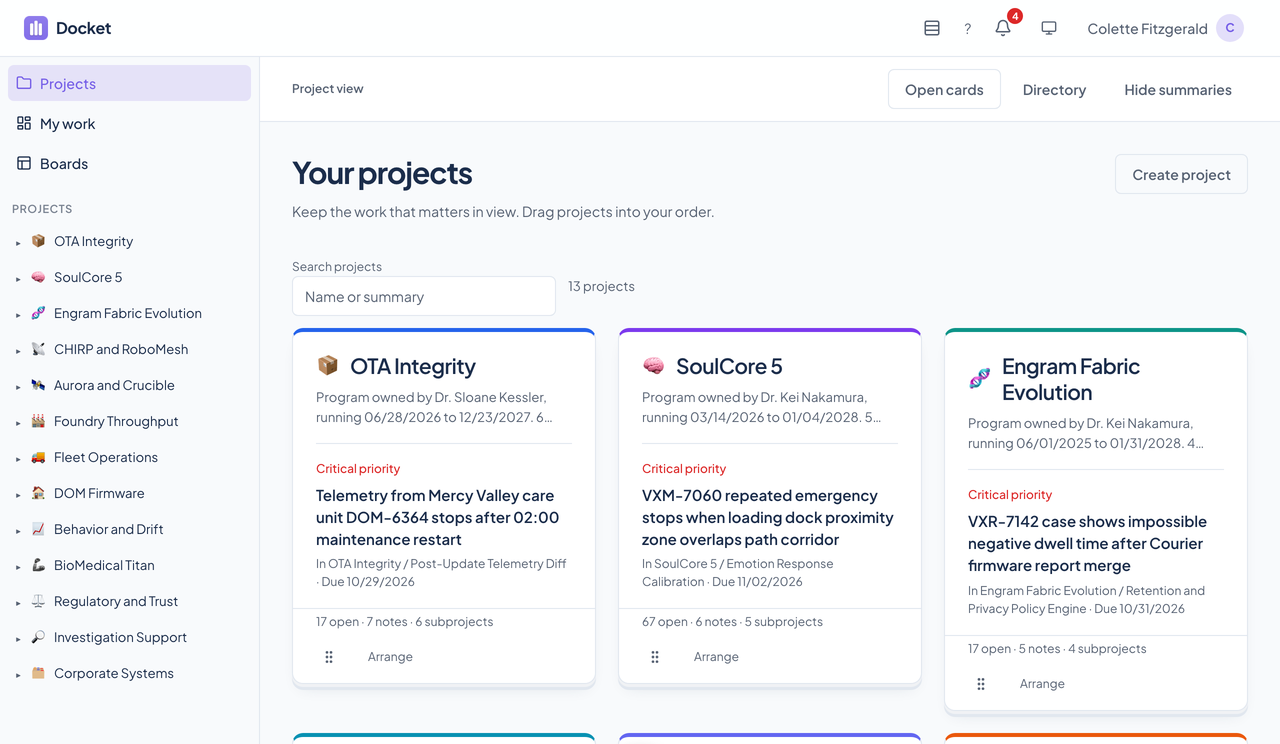
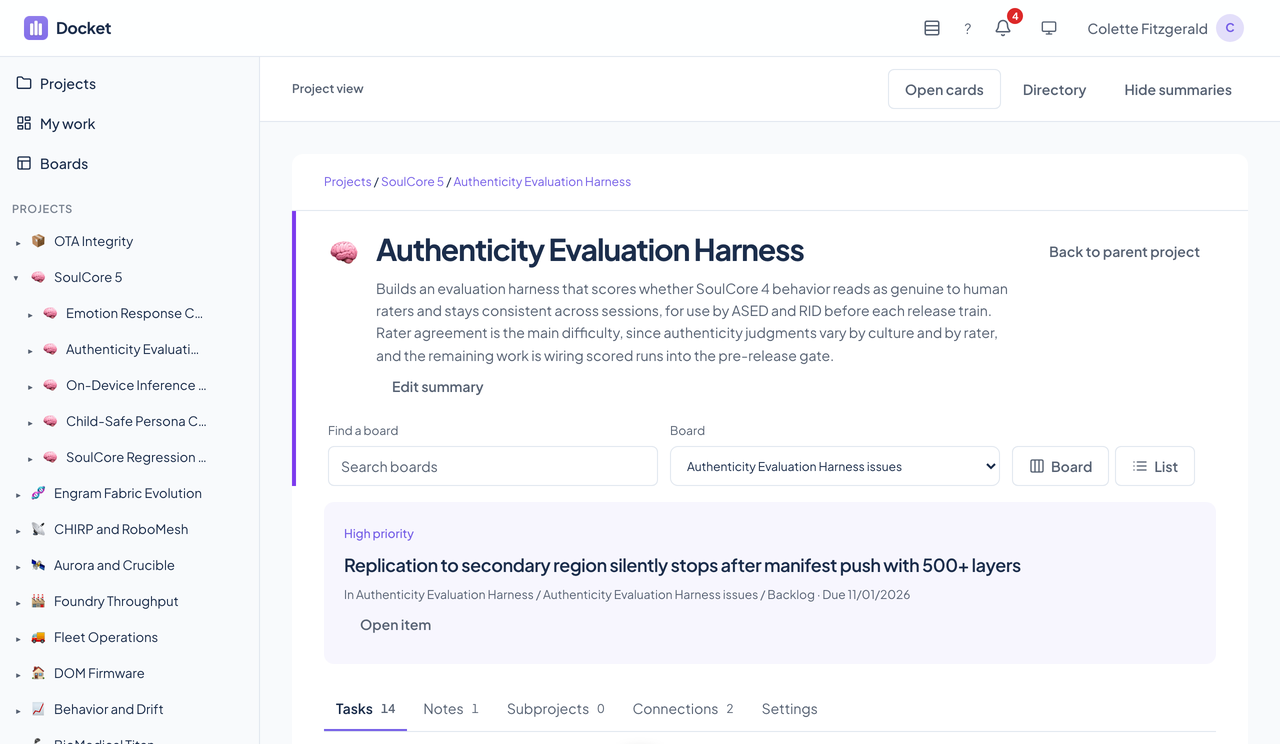
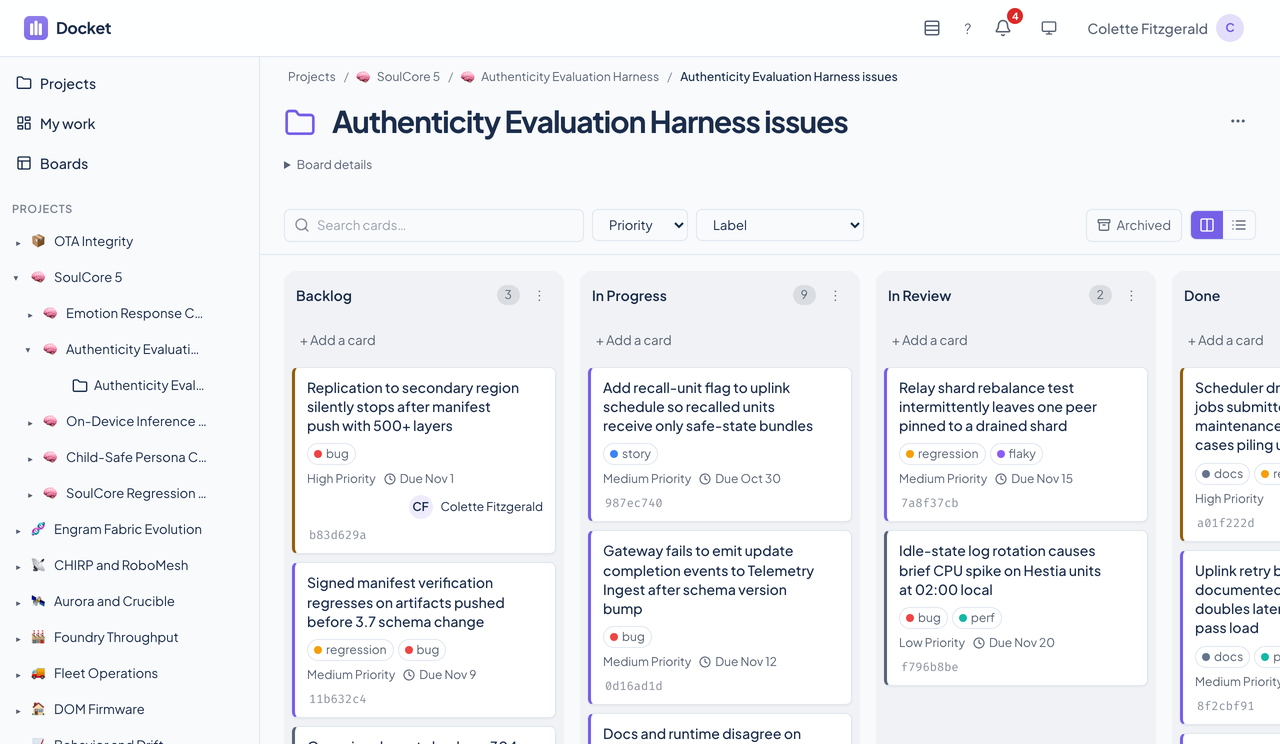
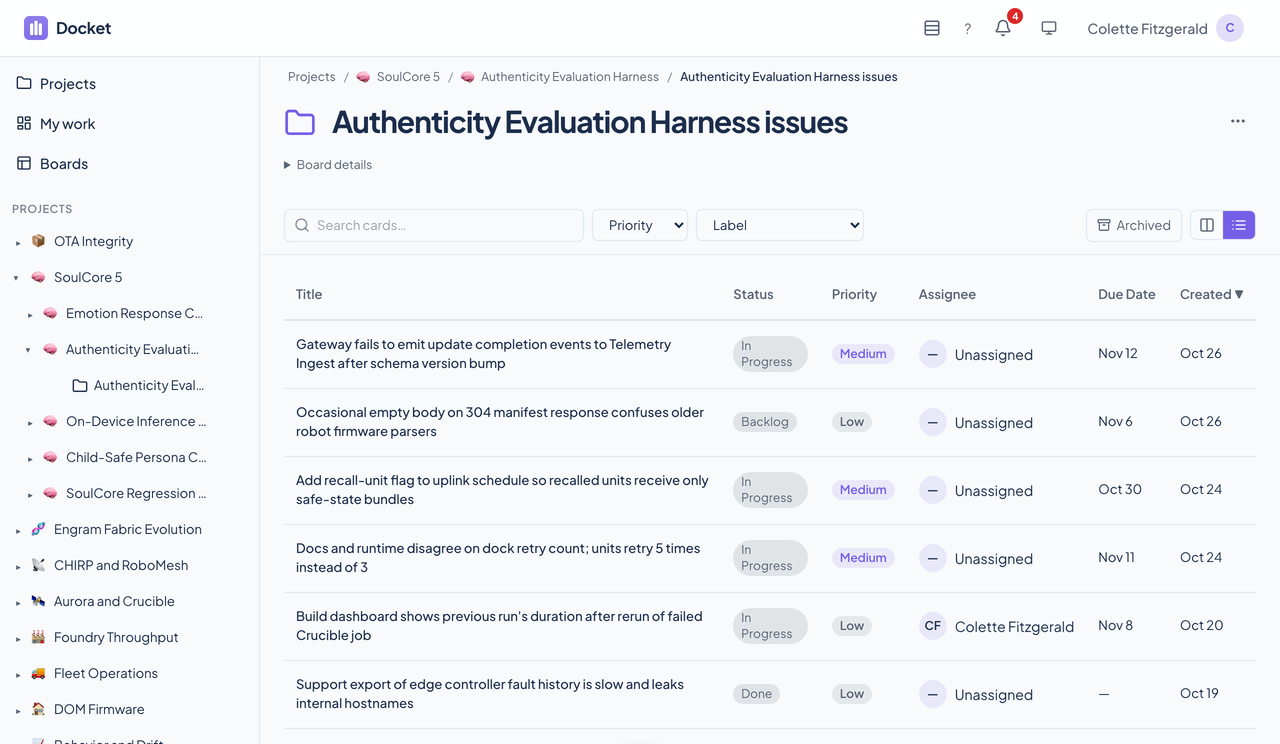
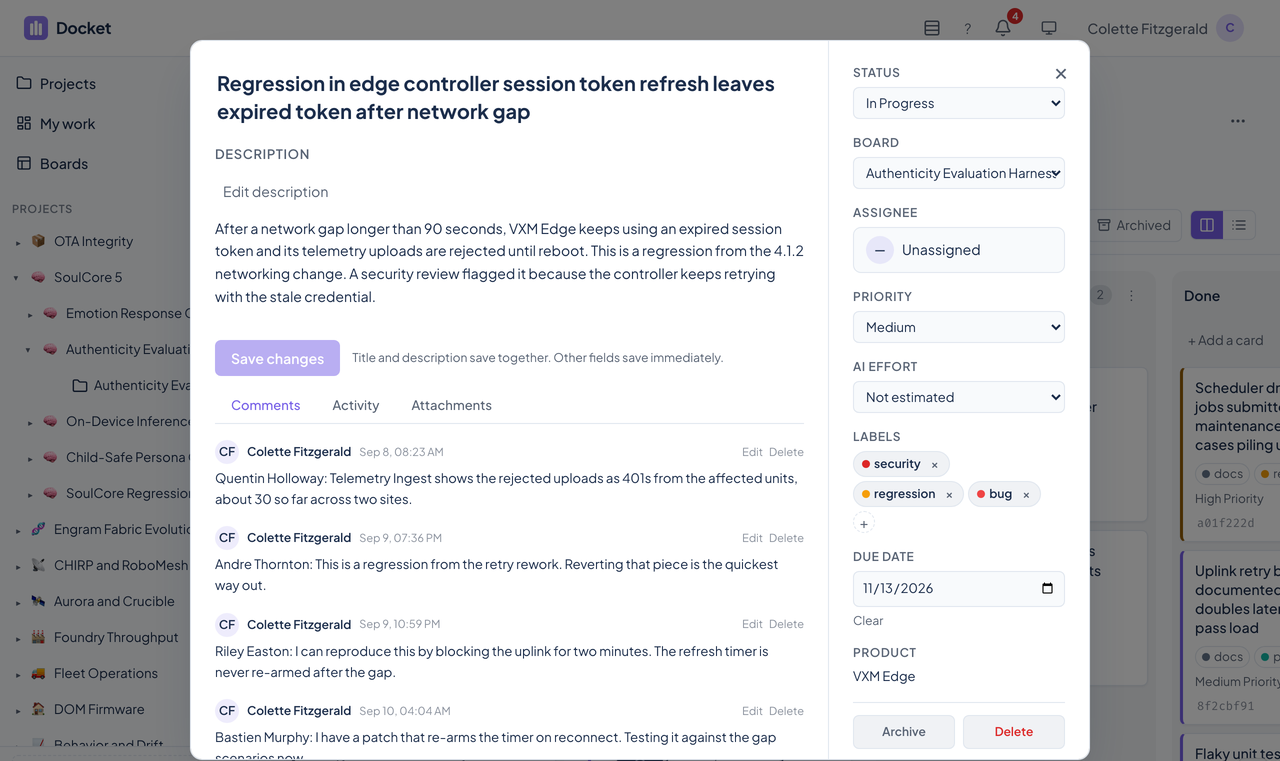
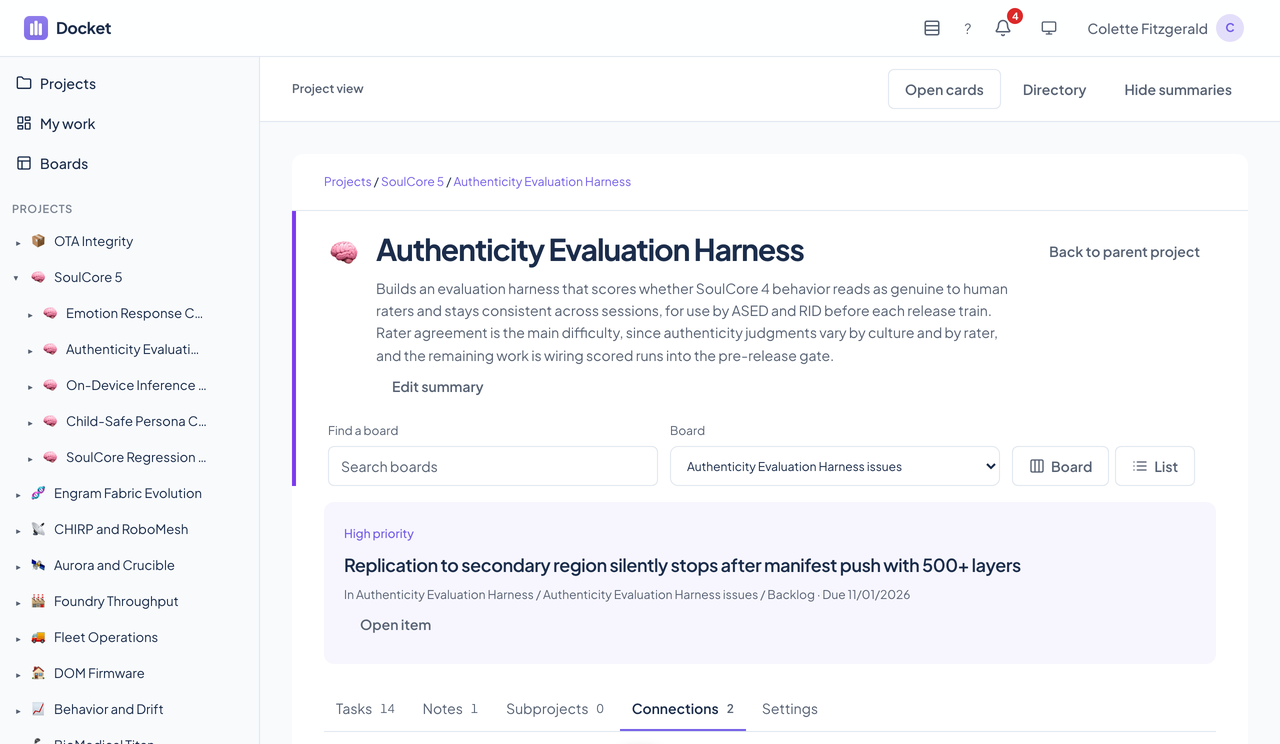
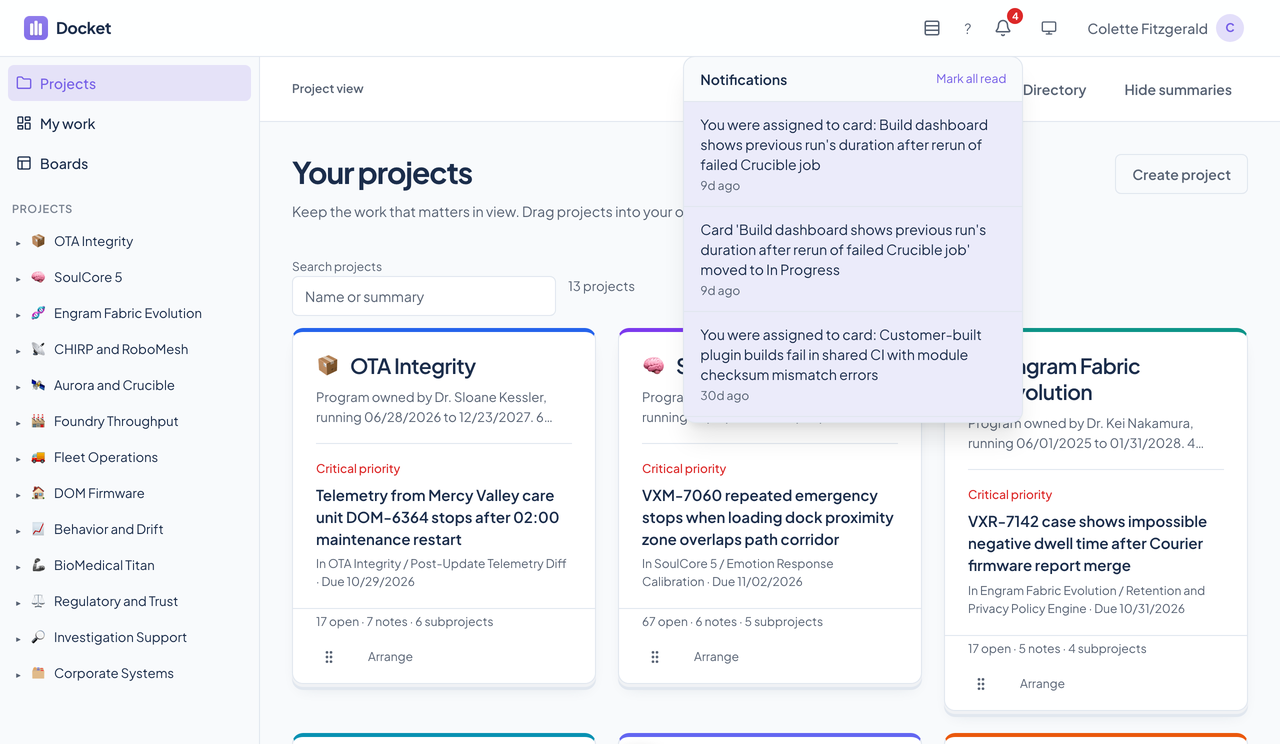
A card arrives from the web app, an agent, the public bug endpoint, or a Trello import, on the board where it belongs.
Set the priority, due date, assignee, labels, and an effort estimate. Open cards ranks the project's tasks, so the urgent one is on the project's face.
Move the card across the board, comment, and attach evidence. Everyone viewing the board sees it as it happens.
A card in a completed or canceled column leaves the open count, and its activity stays on the card.
Docket's pages are scanned with axe-core on every route, and its layouts are checked on narrow phones and at 200 percent zoom. Here is what the product supports today and what we have actually checked. We do not claim a WCAG conformance level for the product.
Partly supported
Every page opens with a skip link to the main content. Pressing n starts a new card, / jumps to search, ? lists the shortcuts, and Escape closes a dialog. A project card can be moved with keyboard controls and a menu instead of dragging, and a task's status changes from a menu in its detail dialog. No one has walked every flow with only the keyboard.
Partly supported
axe-core scans every route and finds no violations in names, labels, and landmark structure. It has not been tested with a screen reader, and Docket's README says so.
Partly supported
Both themes come from the Renkara design tokens, and a ScanCards muted-text contrast failure was found and fixed with a browser check. Docket's automated scan runs in a test DOM that does not measure color contrast, so there is no full-page contrast result in both themes.
Partly supported
The ScanCards styles turn animation off when the system asks for reduced motion. The rest of the interface inherits the design system's motion settings, which Docket's own tests do not check.
Partly supported
Browser tests reproduce the layout at 200 percent zoom at two desktop widths and check that the workspace, task controls, and confirmation dialog stay usable. They simulate the layout and do not use the browser's own zoom menu, and enlarging text alone has not been tested.
Partly supported
The board and a task open at 320 and 390 pixels wide in both themes with no sideways scrolling and every control inside the screen. The other pages have not had the same check recorded.
| Backend |
|
|---|---|
| Web app |
|
| Agent interface |
|
| Integrations |
|
| Stands in for | Trello boards, Bug reports scattered across tools and chats |
Relays Docket's 55 MCP tools to every agent session.
Agent decisions link to the Docket cards they came from.
Chronicle can file an issue straight to a Docket board.
Slate can build a list from a Docket board and keep it in sync.
A project can link to a Tribe contact.
A project can link to a Courier email thread.
A project can link to a Cadence event.
Agents work Docket's boards through the same service as the web app: projects, boards, columns, cards, comments, labels, and activity, plus the older defect tools kept as aliases.
list_projectsget_project_treeget_projectget_project_subtreeget_project_breadcrumbscreate_projectupdate_projectarchive_projectdelete_projectreorder_projectslist_boardsget_boardcreate_boardupdate_boardmove_boardarchive_boarddelete_boardduplicate_boardupload_board_icondelete_board_iconget_board_columnscreate_columnrename_columndelete_columnreorder_columnssearch_cardscreate_cardget_cardget_card_descriptionupdate_cardassign_cardflag_cardmove_cardarchive_carddelete_cardadd_commentlist_commentsupdate_commentdelete_commentlist_labelscreate_labelupdate_labeldelete_labeladd_label_to_cardremove_label_from_cardget_card_activitylist_attachmentsdelete_attachmentlist_memberslist_appslist_defectsget_defectupdate_defect_statuscheck_service_healthget_diagnosticsNo. Docket is internal to Renkara and is not offered for sale. This site shows what it does and how it is built. Write to contact@renkara.com with questions.
No. Every screenshot is a capture of the running app against fictional StrataForge Robotics data.
Fleet products can post to the public bug endpoint without an account. It is limited to ten requests a minute per address and files to a Triage board. Everything else needs an authenticated user or a service token.
For each project it looks at the open tasks in the project and its subprojects and ranks them: critical priority, then overdue, then high priority, then due today, then the next action. The top one is on the card, with the reason.
The web app is responsive and works on a phone, with the same pages and dialogs.
Write to Renkara Media Group and a person will answer.