
Tasks
Open a task. Everything is on it.
A task opens over the view you came from, and closing it puts you back exactly where you were: the filters, the sort, the scroll position, and the focus.

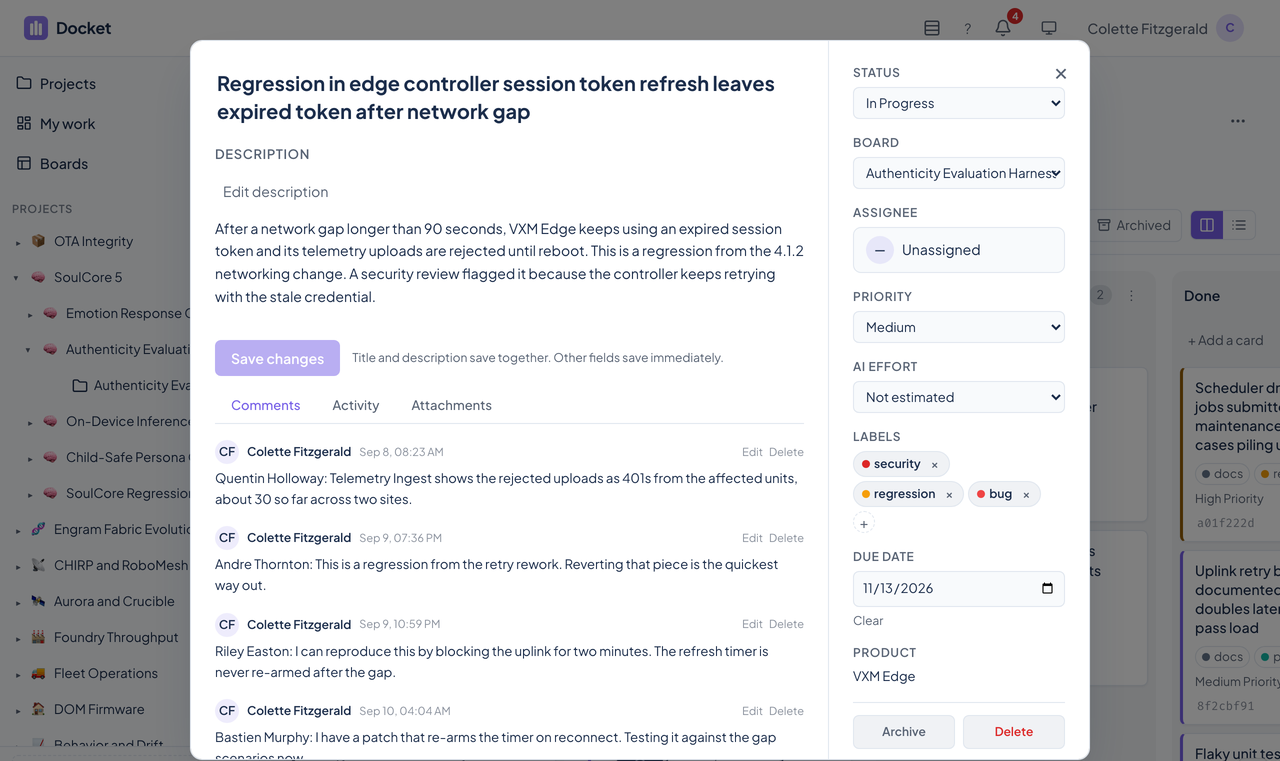
The task dialog
| Title and description | The description opens for reading. Choose Edit to change it, then save. Long descriptions are supported up to 100,000 characters. |
|---|---|
| Priority | Critical, high, medium, or low. Priority says how much a task matters. |
| AI effort | Low, medium, or high, or unset. It says how much work a task is for an agent, a separate question from priority. A card with no estimate shows no indicator, rather than implying one. |
| Status | The column the card is in, changed from a menu without dragging. |
| Due date and assignee | A date, and a member of the project. |
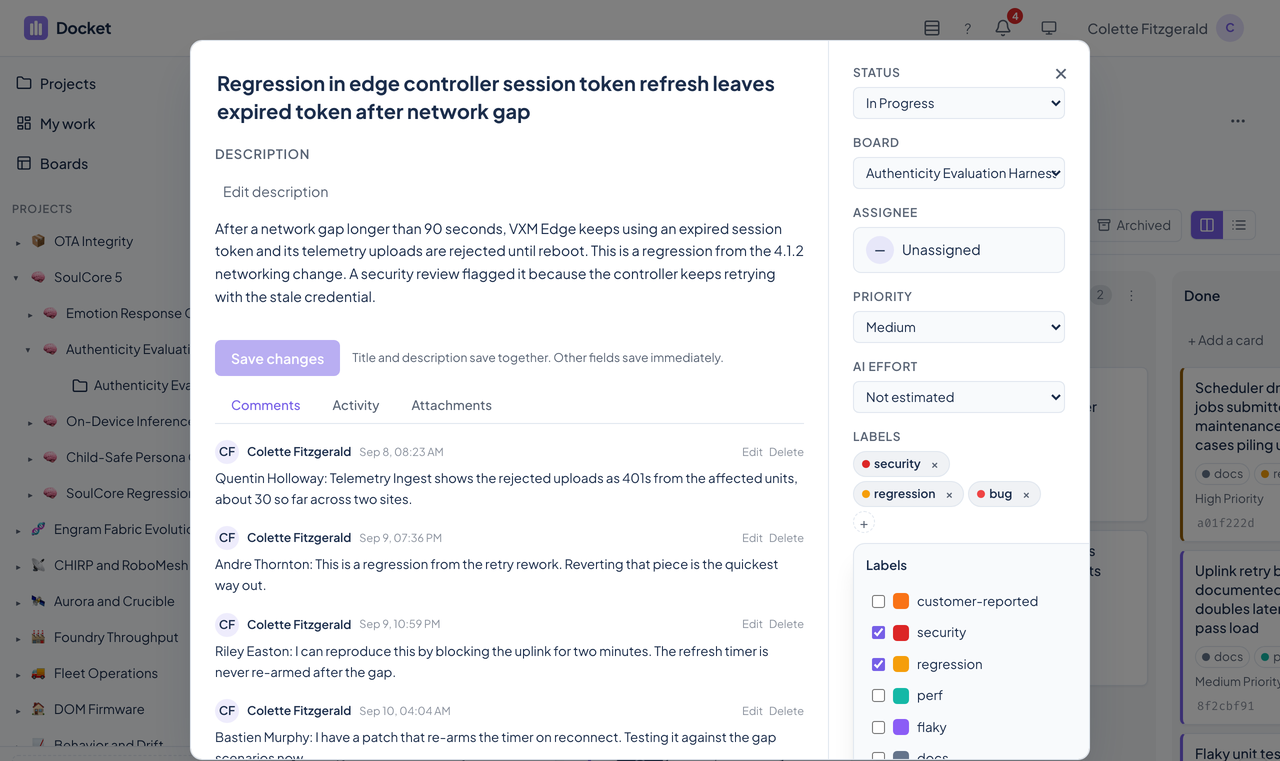
| Labels | The board's colored labels, managed from the dialog. |
| Flag | Marks a card for attention. |
| Copy Claude prompt | Copies the card's title, description, and context as a prompt to paste into Claude. |
| Copy card ID | Copies the card's identifier for links and tickets. |
Editing without collisions
A save carries the version of the task it started from. If someone else saved in the meantime, Docket refuses to overwrite them and offers to load the latest version or keep your draft.
A draft you have not saved can be recovered after going back in the browser's history, and you choose whether to recover it or discard it. Logging out clears draft ownership.
Comments, activity, and attachments
- Comments carry investigation notes and status updates, and can be edited and deleted.
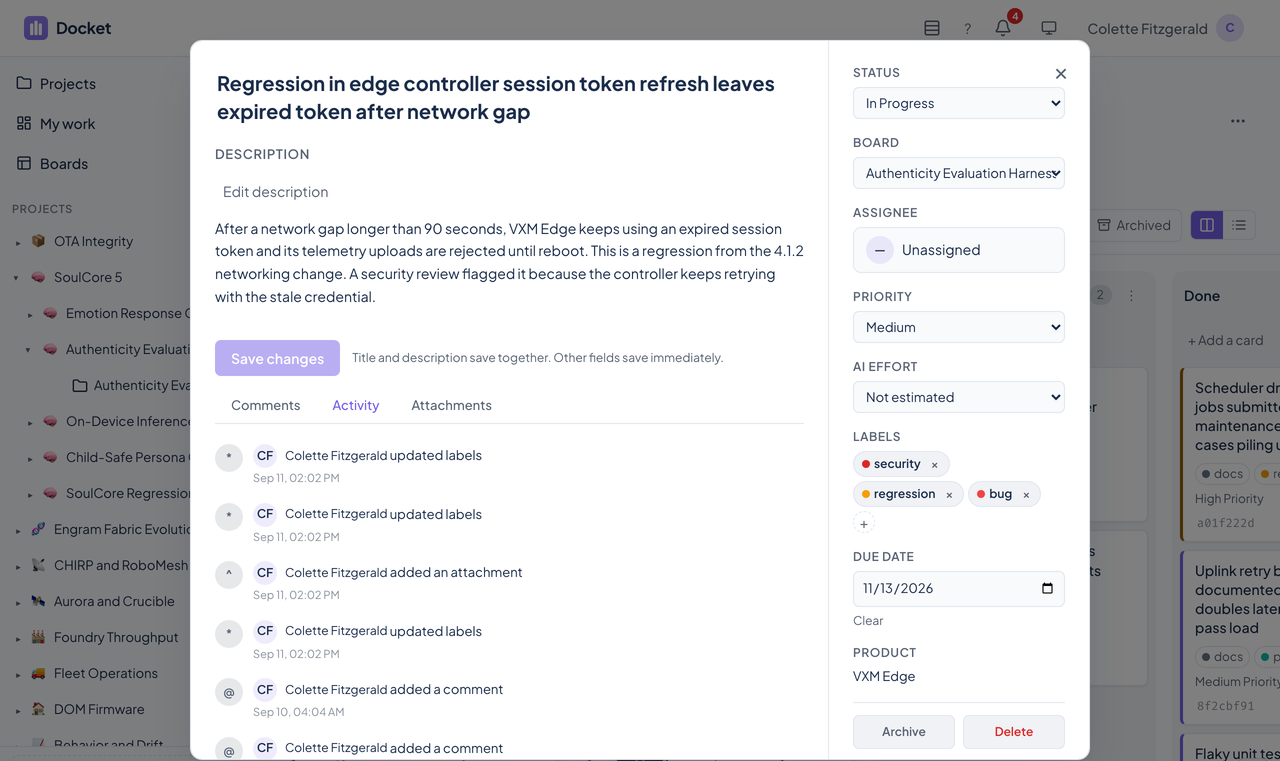
- Activity records every change: status moves, label changes, comments, attachment uploads, and priority updates, in a paginated history.
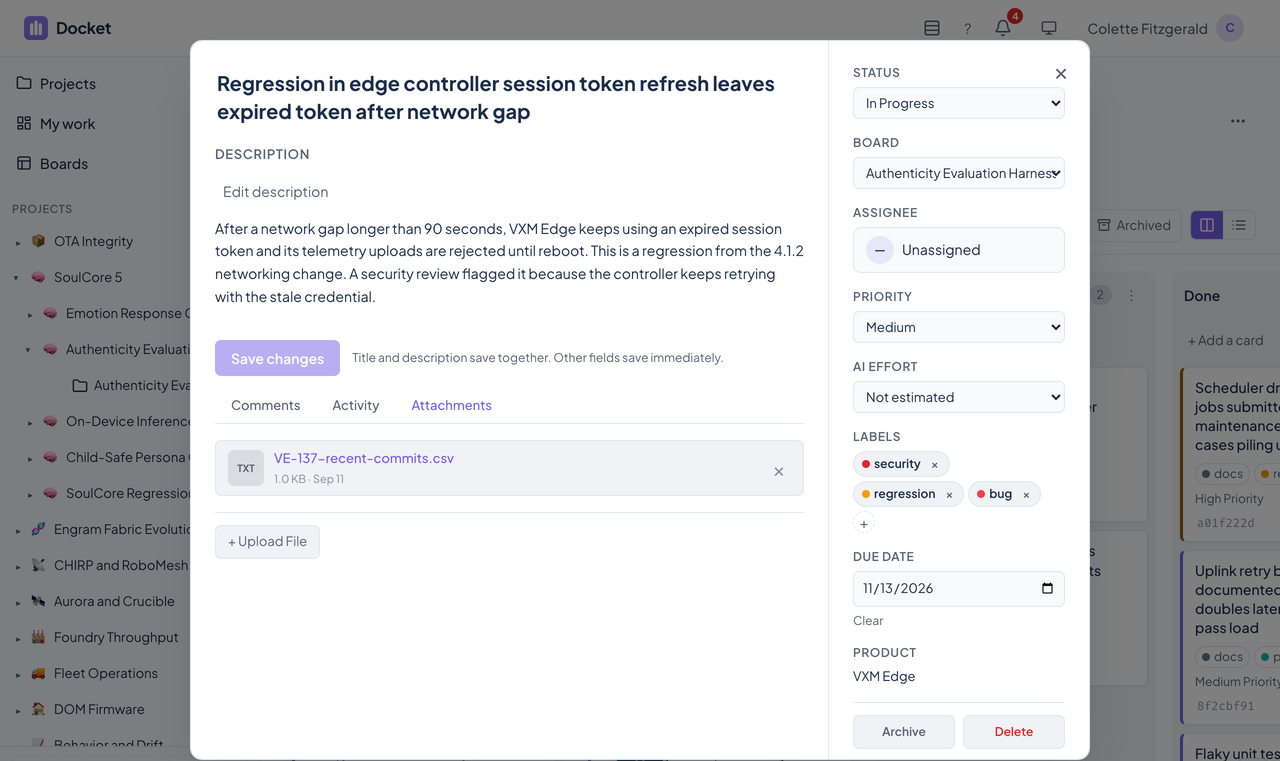
- Attachments take files up to 10 MB. Docket checks the content type and the file extension against an allowlist, and shows image previews inline.
- On a narrow screen the dialog wraps, and Comments, Activity, and Attachments remain reachable.
Where tasks come from
- The web app, from a board or with n on the keyboard.
- Agents, through the MCP tools.
- The public bug endpoint, which fleet products post to, landing on a Triage board.
- A Trello import.
Limits worth knowing
| Title | 200 characters. |
|---|---|
| Description | 100,000 characters. |
| Comment | 50,000 characters. |
| Attachment | 10 MB, from an allowlist of content types and extensions. |
Requests over a limit are refused with a message that names the field.
Contact
Questions about this tool?
Write to Renkara Media Group and a person will answer.